Your clients review and approve
on a single link.
nod. is a creative approval tool built for D2C ad teams. Invite a client by email and they get a personal magic link. They click it and land straight on the creative. No password, no app, no seat to pay for.
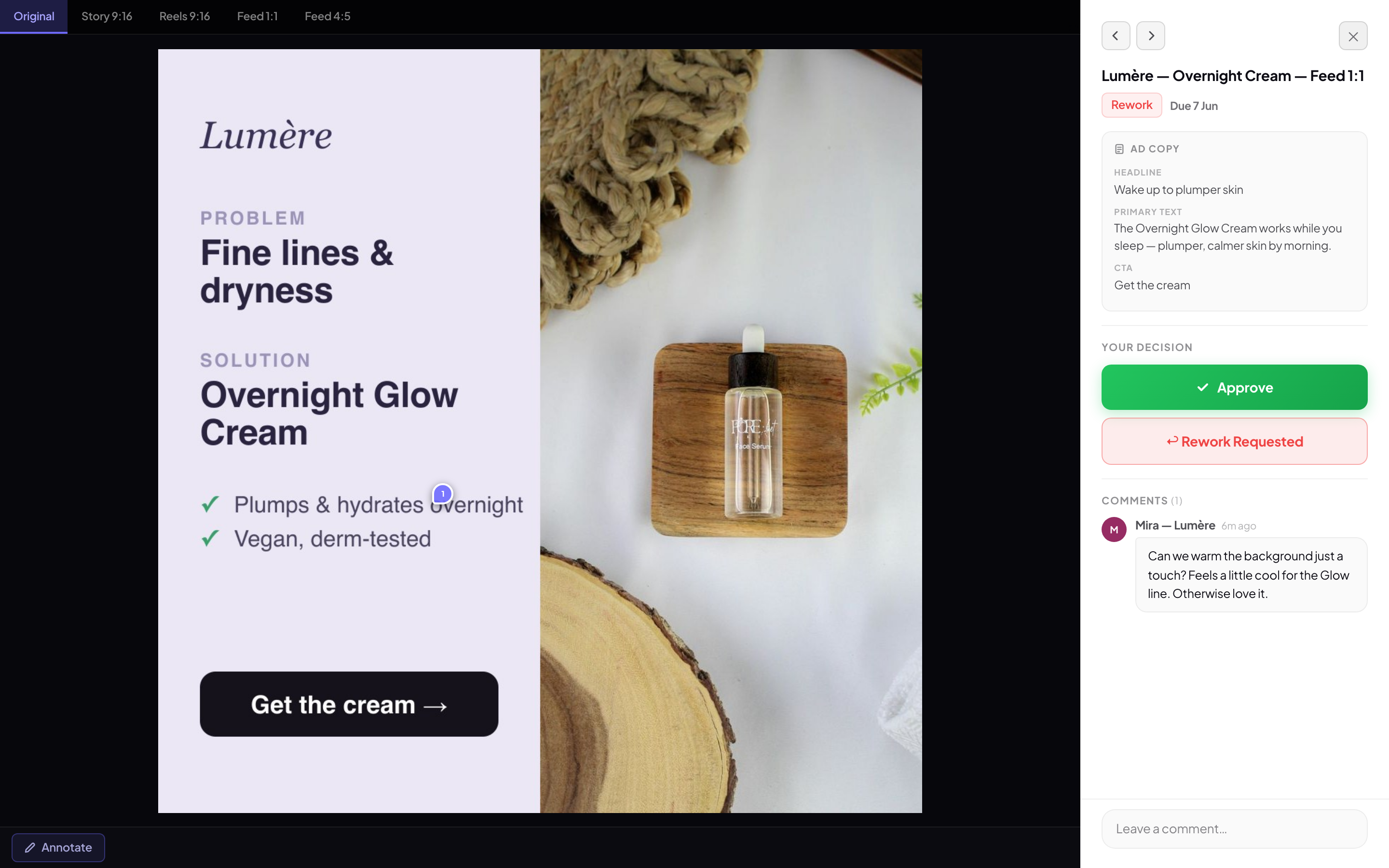
The same review page resizes down to a phone, so clients can approve from anywhere.
Pin a comment on the exact spot.
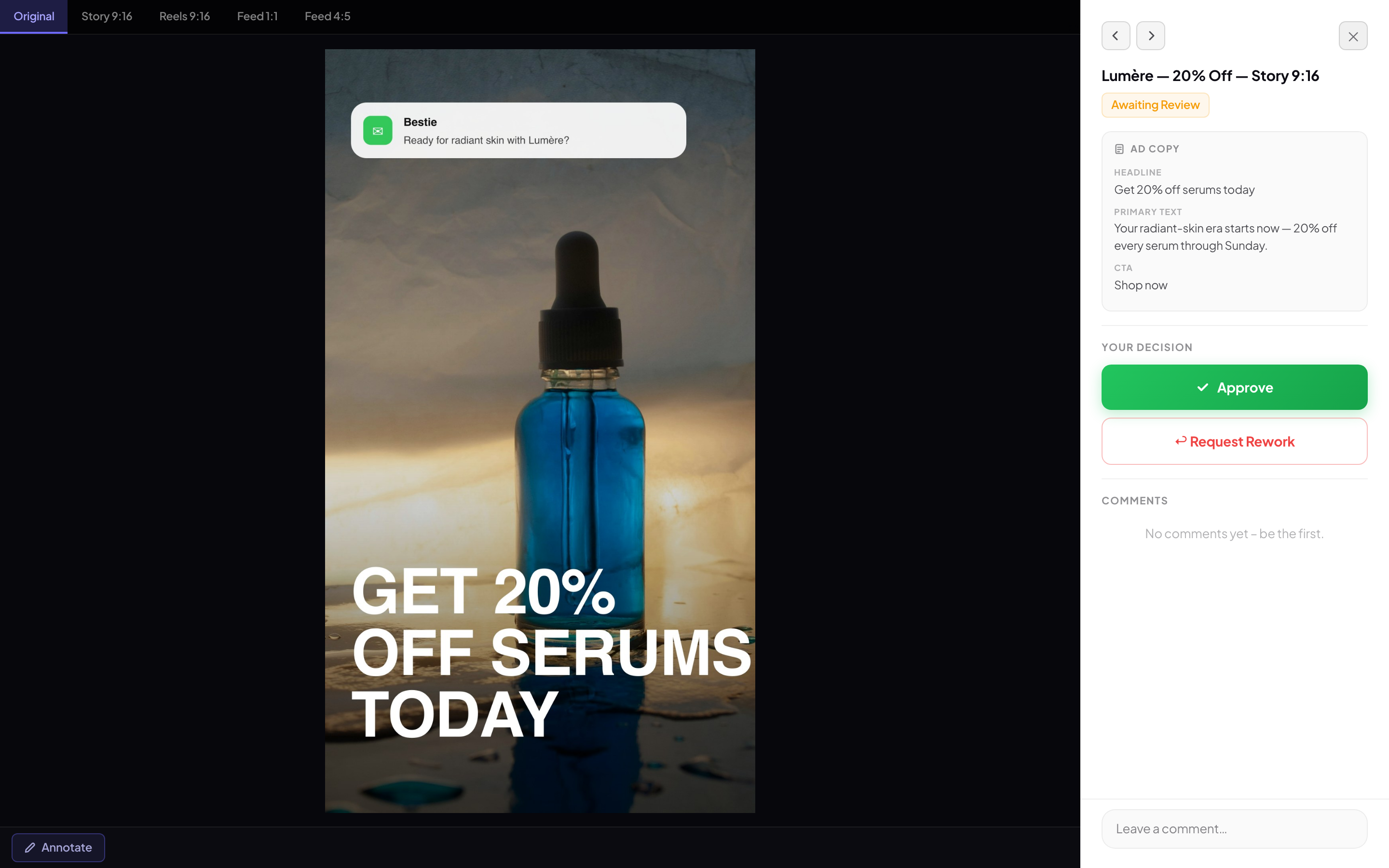
Reviewers click the precise pixel they mean and leave a note there. Every pin opens a thread, so replies, questions, and the final fix all sit in one place. No more describing the thing in the top-right corner over email.
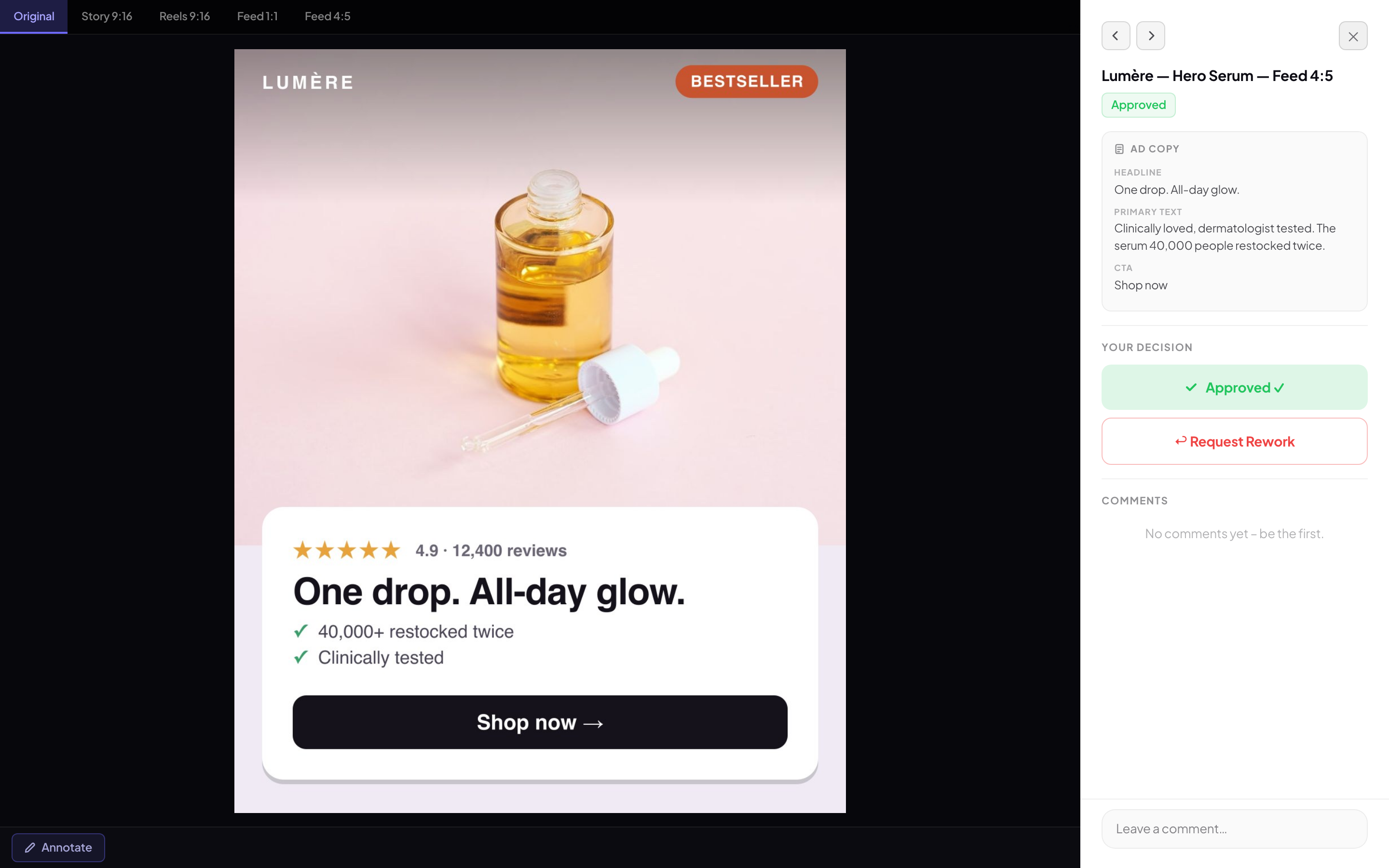
Approve or request rework.
Every version is kept.
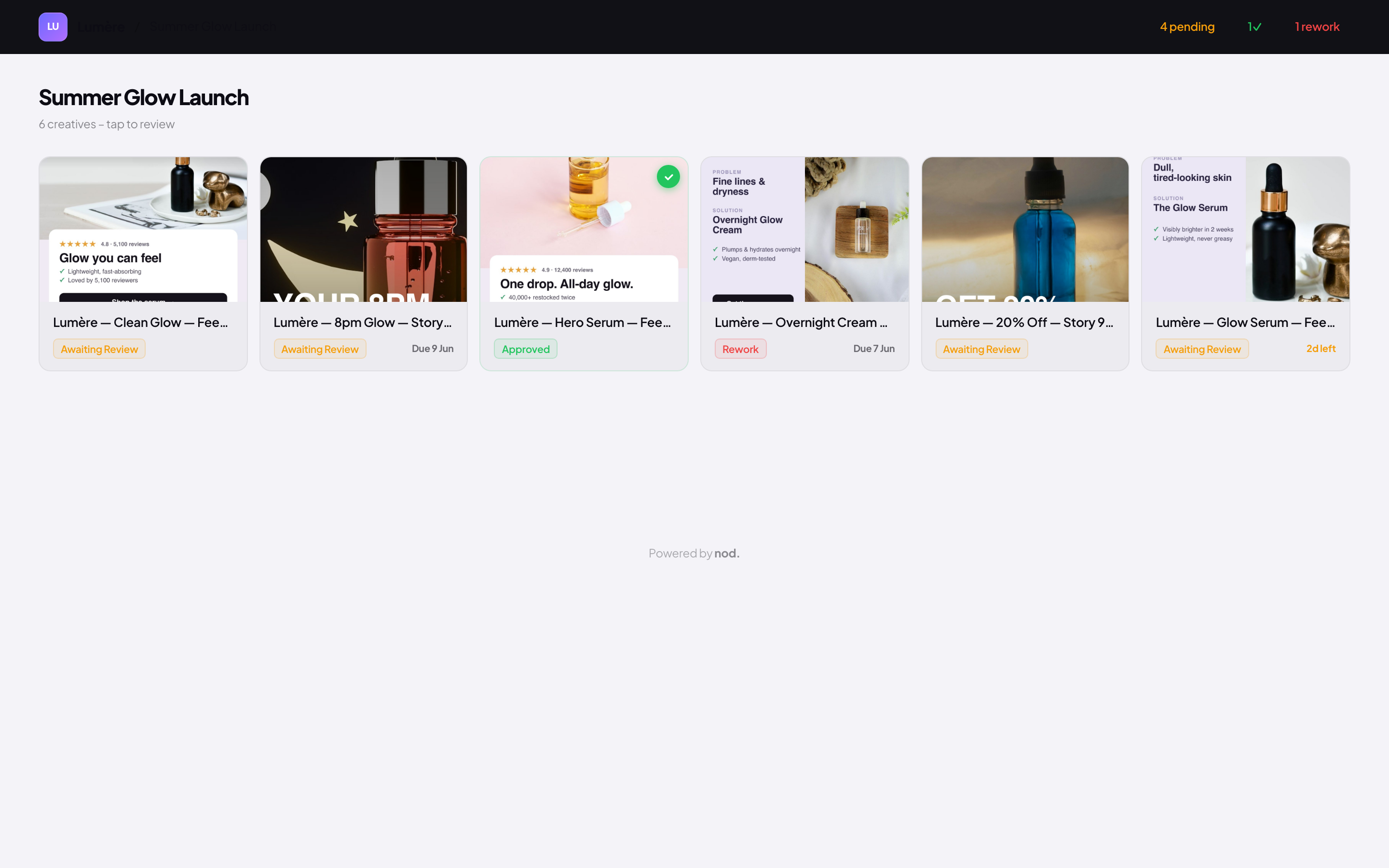
Each reviewer makes one clear call: Approve, or Request rework. The campaign board shows where every creative stands, so you know what is signed off and what still needs a round. Upload a new cut and nod. keeps the old ones. You can see which version each approval came from.
Plan go-live dates in one view.
Set when each creative goes live in a week or month view, then drag to reschedule. Block out slots for work you have not made yet, so the gaps show up before they turn into a scramble. Protected deadlines stay put until someone moves them on purpose.
Copy and concepts in your voice.
Draft headlines, primary text, and CTAs in seconds. Drop a reference onto the Inspo Board and adapt it to brand, and nod. turns it into on-brand concepts. It all runs on a Brand DNA profile you set per project: voice, tone, palette, guardrails, and proof points. Outputs come back in your voice, not generic filler.
From approved to live without the file shuffle.
Once a creative is signed off, push it straight to Meta with placements already set. Pull frames in from Figma and Canva, and let approvals and rework land where your team already talks.
Publish to Meta
Send an approved creative straight to your Meta ad account, placements already set. Available on the Agency plan.
Figma and Canva import
Connect your workspace and pull frames in directly. No export step, no re-uploading.
Slack, Teams, and Google Chat
Approvals and rework land in the channel your team already uses, so nobody has to keep a tab open.
Version history
Every revision stays accessible. Compare cuts to see what changed between rounds.
One link per campaign
Each client gets a single magic link to every creative in the campaign, not a folder of files.
Approval records
Each sign-off is tied to a named reviewer and the version they saw, kept for the whole project.
See it on your own creative.
Upload your first ad and share a link in about two minutes. Start free, or try Pro for 14 days. No card required.
Start free