Creative approval software for paid ad teams
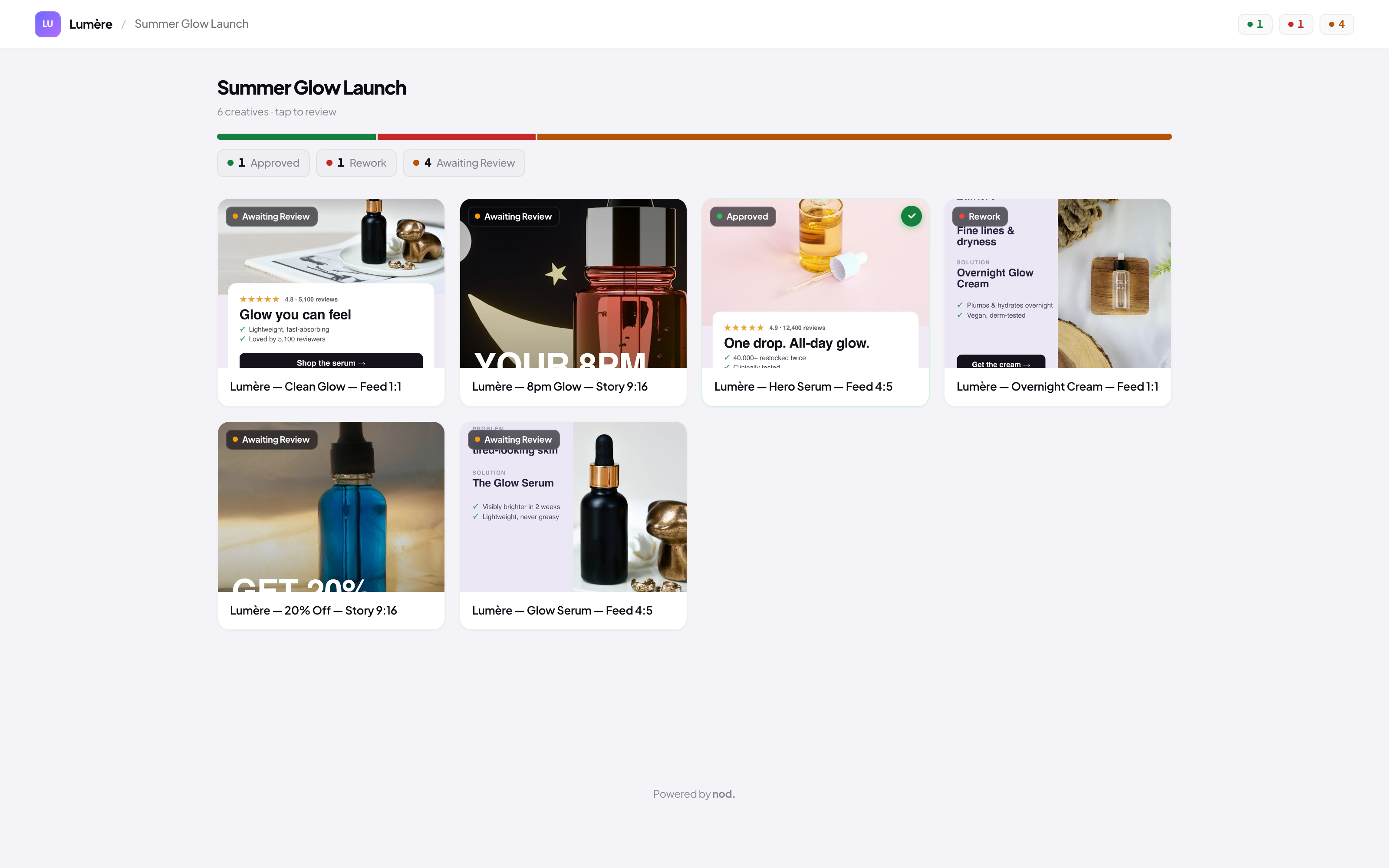
Review every paid ad in one place: pin feedback on the creative, preview the real placement, and collect an explicit decision with one reviewer link.
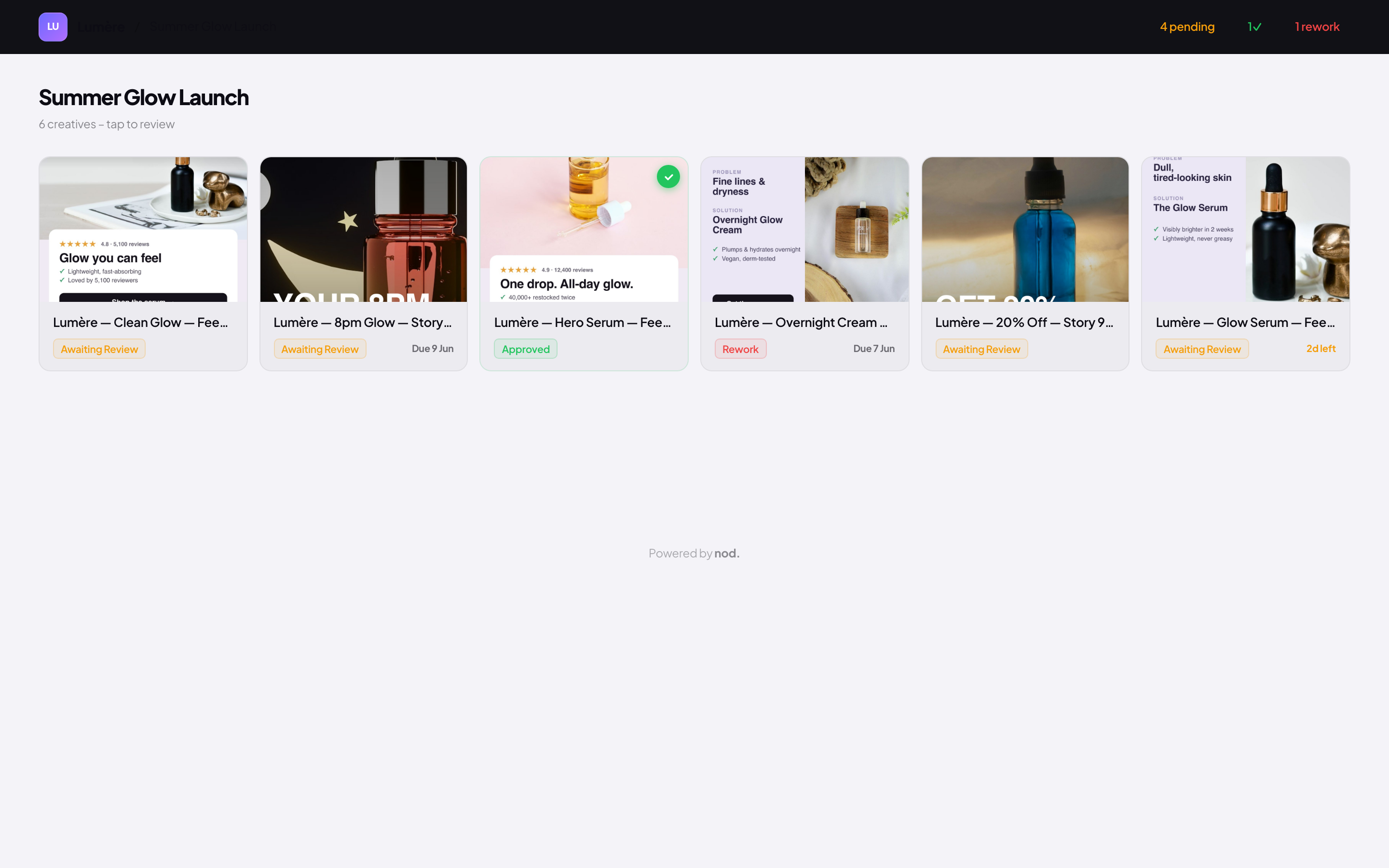
Bring creatives in from Figma and Canva. Ping reviewers in Slack, Teams or Google Chat. Preview every Meta placement before a euro is spent.
Approval usually scatters across five places
Feedback ends up everywhere except on the creative. So the wrong version ships, and nobody is sure who approved it.
Screenshots pasted into replies, the actual decision buried three messages down.
A fresh PDF every round, none of them the creative that actually runs.
Who signed off on which version, kept by hand and always a little out of date.
Everything a review needs, in one link
One link. Every decision
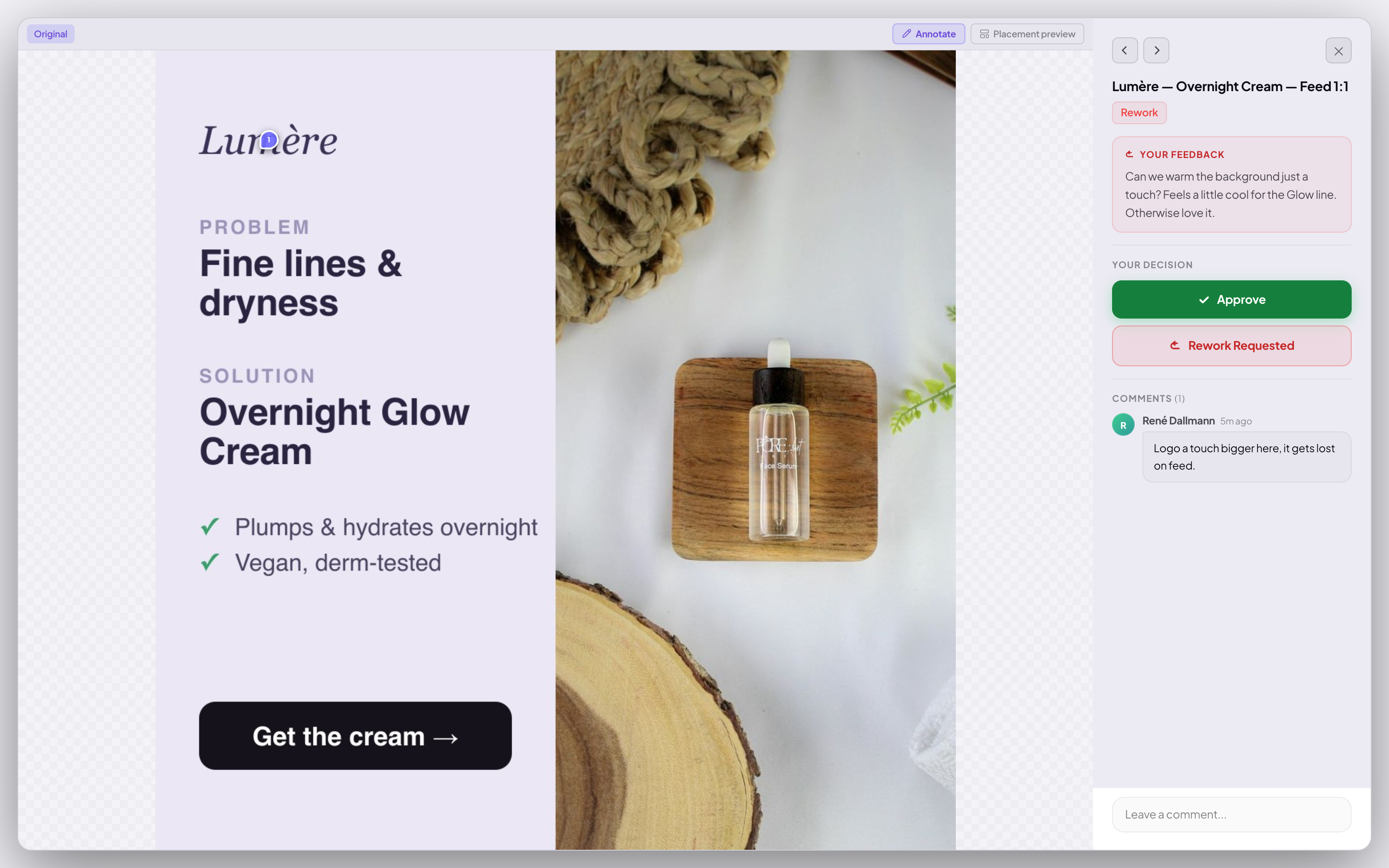
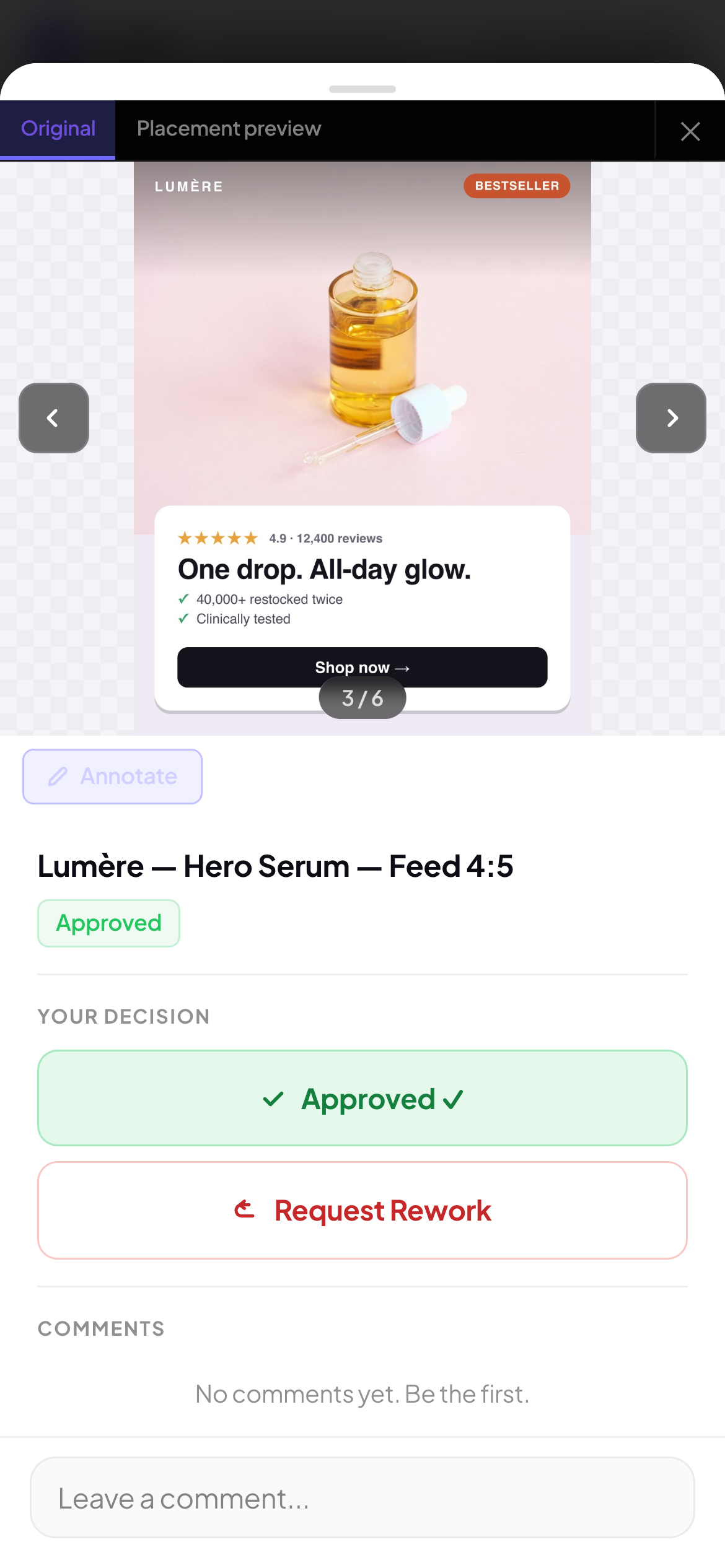
Reviewers open the link, see the creative exactly as it will run, and leave their decision. No logins, no exports, no 40-message threads.
Annotate on the exact frame
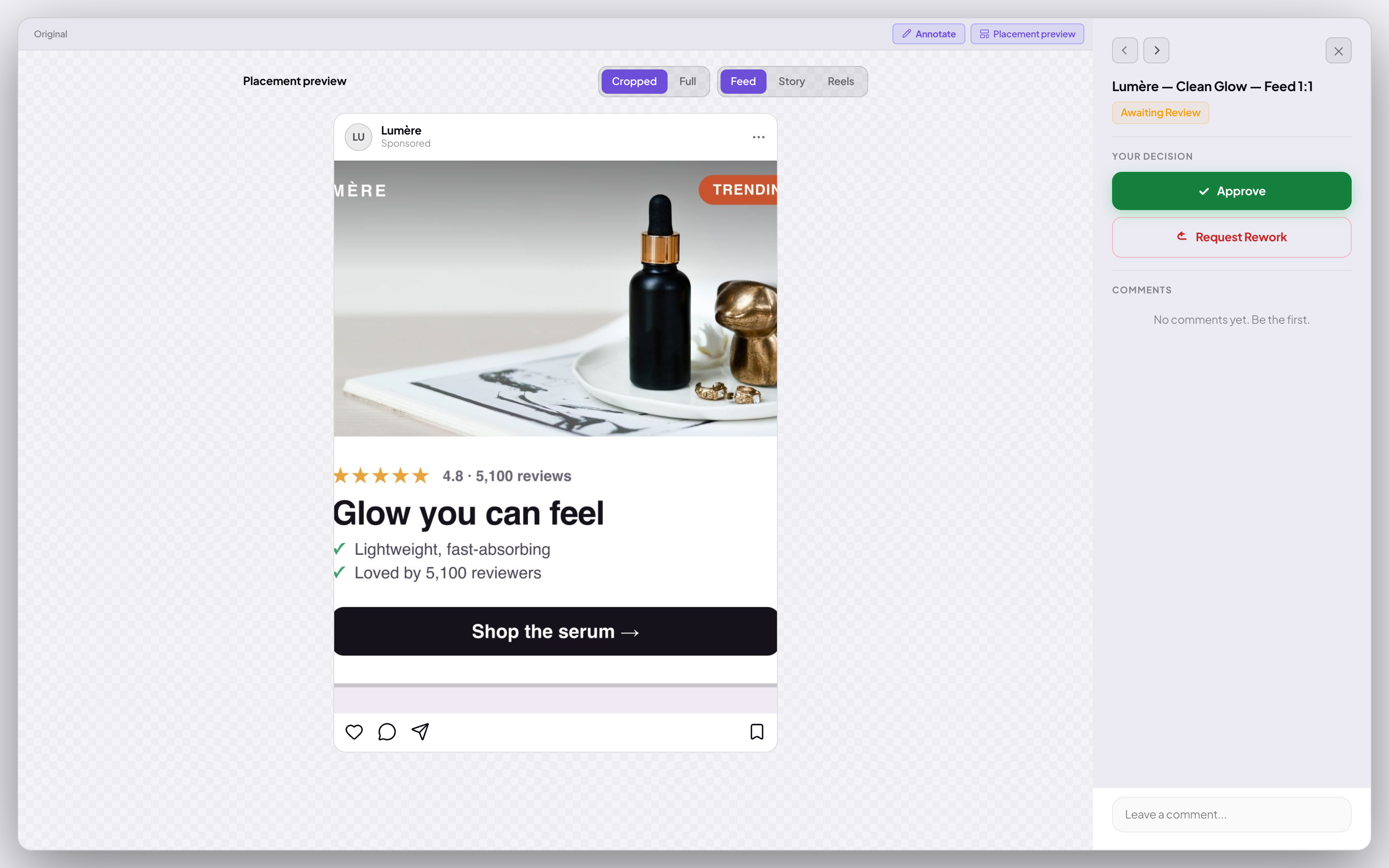
Pins stick to the creative, on video to the exact second. Placement previews show the ad in feed, story and reel before a euro is spent.
Reviewers need no account
Every reviewer gets a personal magic link. They open it in any browser, on desktop or phone, and leave their decision. No signup, no password, no seat to buy.
Every format, previewed for real
See the creative exactly as it runs. Feed, story, reels, marketplace and explore, each rendered in its real placement before it goes live.
Versions and notifications
Upload v2 and every reviewer gets their personal link again, pointed straight at the new version, with the full history in view.
Works with the loop
Approved creatives stay in the shared library. Campaign creation and Meta publishing live in nod. Performance.
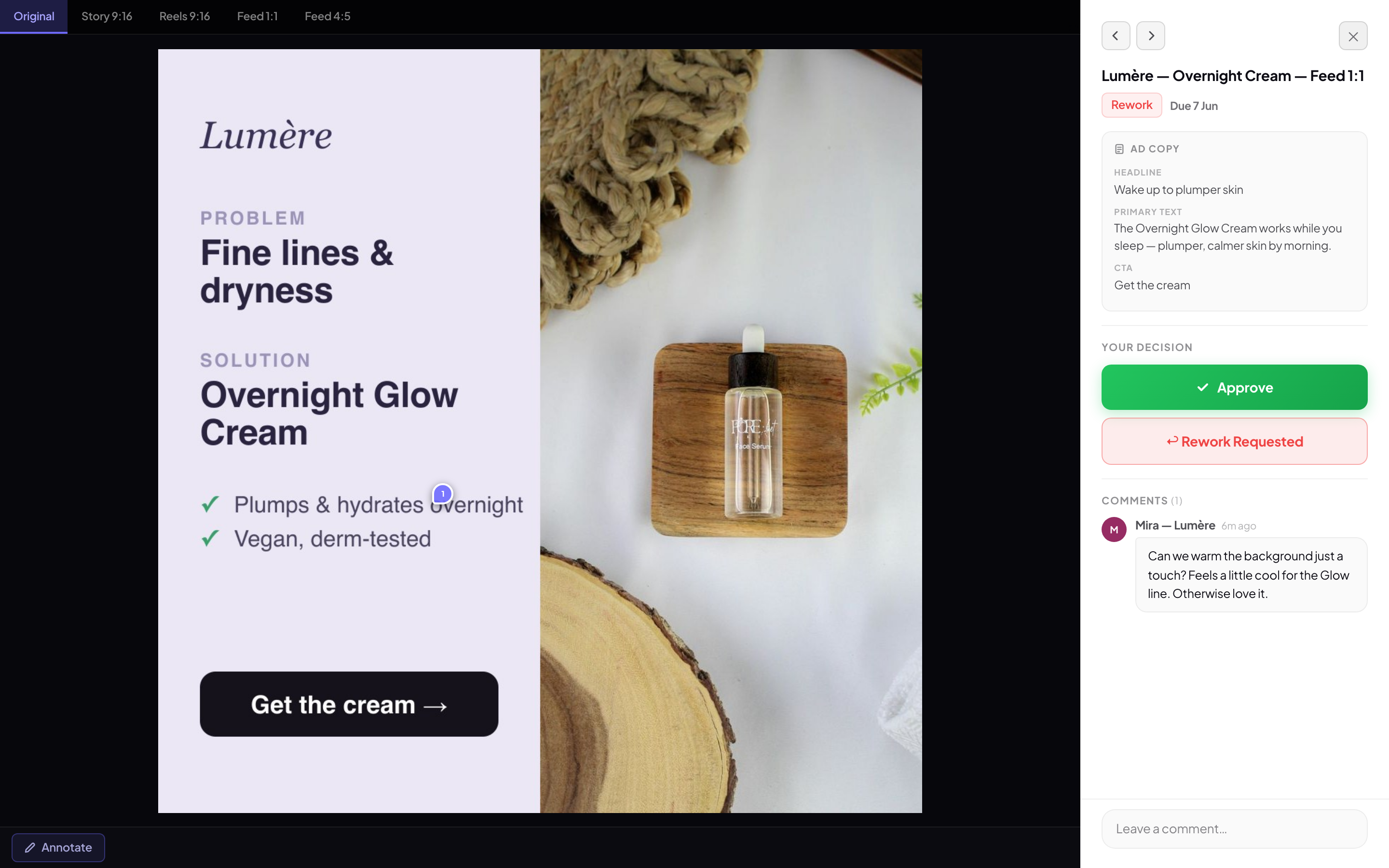
Headline · Meet the 30-second glow
CTA · Shop now
How approval works
Four steps, from upload to a clear approval decision.
Drop in image, video or GIF, or pull it straight from Figma and Canva. nod. renders every Meta placement.
→Each reviewer gets a personal magic link. No account, no seat, works on any browser or phone.
→Feedback lands as pins on the exact frame and second. Approve or request rework, all on one board.
→Download approved images, videos or full carousels for the next step in your workflow.
Why teams switch to nod
Filestage, Frame.io, Loom and Ziflow review files. nod. adds ad previews, slide feedback and one clear decision.
| nod. | Filestage | Frame.io | Loom | Ziflow | |
|---|---|---|---|---|---|
| Previews real Meta placements (feed, story, reel) | ✓ | — | — | — | — |
| Reviewers need no account | ✓ | — | — | — | — |
| Approval decisions and feedback in one place | ✓ | — | — | — | — |
| Included in the plan, no separate review seat | ✓ | — | — | — | — |
What creative approval software should actually do
Creative approval software gives every ad version one review link, one comment history and one explicit decision. For paid-social teams, it should also show the real placement, keep revisions connected and hand the approved asset to campaign execution. The value is fewer ambiguous handoffs, not another place to store files.
Operator guides for a cleaner approval loop
Approval questions, answered
What is a creative approval tool?+
A creative approval tool is software that replaces email-based ad review with a structured workflow. Teams upload creatives, clients leave pinned feedback directly on the ad, and both sides track revision rounds and approvals in one place. nod. is a creative approval tool built specifically for D2C ad teams.
How does nod. work as a creative approval tool?+
Upload your ad creative (image, video, or GIF). nod. generates a personal magic link for each named reviewer. Reviewers open the link in any browser, pin comments directly on the frame, and click Approve when ready. When you upload v2, nod. emails all reviewers automatically. No accounts, no apps, no back-and-forth over email.
Do reviewers need an account?+
No. Each reviewer opens a personal magic link in any browser, no signup.
What can I upload?+
Image, video and GIF creatives, with real Meta placement previews.
How are new versions handled?+
Upload v2 and every reviewer gets their personal link again, pointed at the new version, with the full history in view. You can toggle notifications per reviewer from the campaign settings.
Does it work on mobile?+
Yes, reviewers can review and approve from their phone.
How many reviewer seats are included in each plan?+
Approval Free includes 1 internal seat and 3 reviewer seats. Approval Pro includes 3 internal seats and unlimited reviewer seats. Reviewer seats are for named clients you invite by email: they receive magic links and version notifications but never log into your workspace and are never billed.
What does approval cost?+
Free for one campaign and up to 50 creatives, no card. Pro adds unlimited campaigns and creatives, unlimited reviewer seats and AI. The full loop (attribution, campaign builders and the agent) is the nod. Performance plan, which includes approval.
Which platforms does approval cover?+
Upload any creative you like. Placement previews are built for Meta today; Google is next. One-click publish to Meta is part of nod. Performance.
How is nod. different from Frame.io or Ziflow?+
Frame.io and Ziflow are built for video production teams and agencies with complex workflows. nod. is purpose-built for D2C performance marketing: ad-format previews (9:16, 1:1, 4:5), AI copy and concept generation, and unlimited reviewer links that never cost a seat and send automatic version notifications. One-click publish to Meta is part of nod. Performance, built on top of approval. Setup takes an afternoon, not a week.
Start free. Upgrade when you grow
No demo, no sales call. Start free today and upgrade inside the app when you outgrow it.